01Live Model Catalog
7 AI Models
TRELLIS, Rodin 2.5 Fast, Hunyuan 3D 3.1 Rapid & Pro, Tripo H3.1, Rodin 2.5, and Meshy 7.1
Free AI Image to 3D · No sign-up
Drop in a single photo, multi-angle shots or a short text prompt, start free with TRELLIS or switch across 6 pro AI models, then export GLB, OBJ or STL for games, editors or 3D printers.
Create your model
3D preview
Sample result · TRELLIS
 Input image
A real TRELLIS result generated in this workspace from this picture, optimized for web preview. Press Generate to make your own.
Use cases
A single reference photo can become a game prop, printable figurine or product study. Every preview card below is an authentic 3D mesh created inside this workspace.
Convert concept art into a picture to 3D model for props, creatures and environment pieces, then drop the GLB straight into your game engine.
Begin a physical print from one reference photo: export your picture to 3D model as STL and inspect scale and supports in your slicer.
Convert a product sketch or studio shot into a textured 3D model and review proportions from every side before prototyping.
Draft set dressing and background props for pre-visualization and animated shots from a single reference illustration.
Generate stylized assets for WebXR scenes and spatial previews, with every photo to 3D model ready to load as a compact GLB.
Populate room concepts with lamps, planters and chairs by turning a mood-board shot into a photo to 3D model in minutes.
Transform textbook diagrams into a picture to 3D model students can spin and inspect, from geological cutaways to historic artifacts.
Turn character artwork into a picture to 3D model for collectible figurines, or supply four views for tighter silhouette fidelity.
Verified Technical Specifications
AI Image to 3D combines multi-engine cloud 3D generation with zero-upload local browser utilities. Every file limit, format rule, and retention window below matches live production configuration.
| Specification | AI Image to 3D ValueVerified | Notes & Source |
|---|---|---|
| Live AI 3D Models | 7 active models (TRELLIS free + 6 pro models across Tripo, Hunyuan, Rodin, Meshy) | Compare same-picture outputs across models inside one browser workspace |
| Supported Input Modes | Single Image (JPG/PNG), Multi-Image (2–8 or 4 fixed views), and Text to 3D | Uploaded reference pictures are deleted automatically after 24 hours |
| 3D Export Formats | GLB (PBR web/game), OBJ (+MTL/textures), and STL (100 mm longest side) | Inspect textured, solid, and wireframe views in WebGL before downloading |
| Free Start & Credit Pricing | 8-credit no-sign-up trial (1 TRELLIS model) + 16-credit sign-up gift + daily check-ins | Exact credit cost shown before running; failed runs auto-refund to your balance |
| Browser Local Utilities & Privacy | Free 0-upload GLB-to-STL & Logo-to-3D tools · Private 60-day Asset Library | No public user gallery; generated models stay visible only inside your account |
Examples
Each mesh below was produced from the paired image or prompt beside it. Filter by category, spin any preview in your browser and load the same input to test.
 Input image
Models
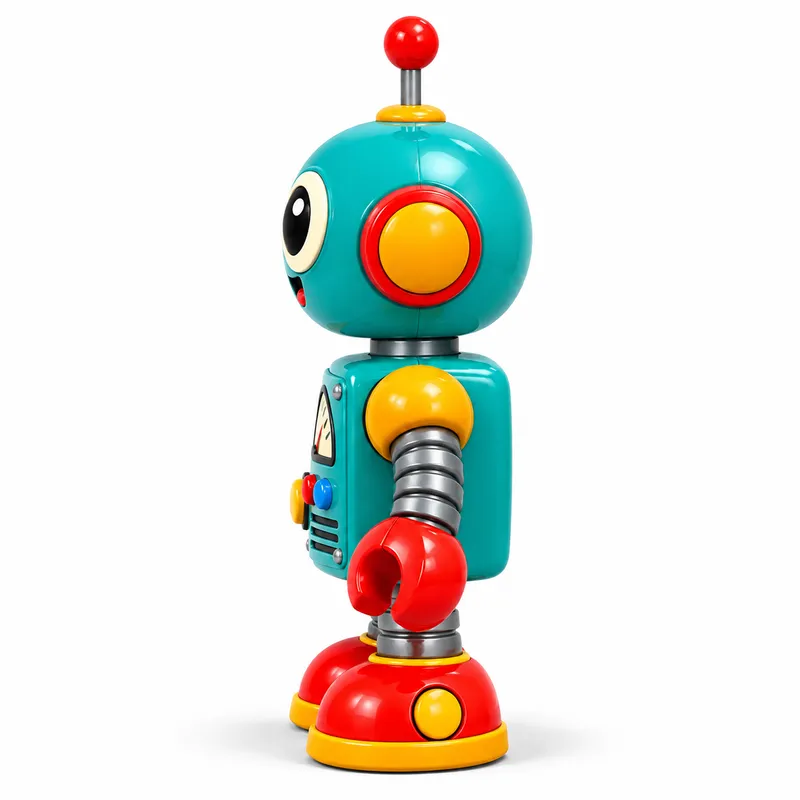
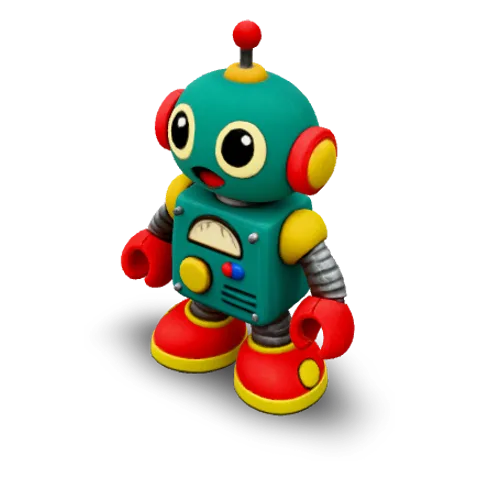
We ran the exact same retro robot photo across every engine so you can judge each picture to 3D model side by side—TRELLIS is free, alongside 6 pro models.
Microsoft
Textured mesh · single or multi-image
Hyper3D
Quick drafts · image, multi-image or text
Tencent
Quick textured models · image or text
Tripo3D
Detailed geometry · image, text or four views
Tencent
High-detail textured models · image or text
Hyper3D
High-poly meshes · image, multi-image or text
Meshy
Rich textures · image, multi-image or text
| Model | Image | Text | Multi-Image | Mesh detail |
|---|---|---|---|---|
| TRELLIS | Yes | — | 2–8 views | Low · Standard · High |
| Rodin 2.5 Fast | Yes | Yes | 2–5 views | Low · Standard · High |
| Hunyuan 3D 3.1 Rapid | Yes | Yes | — | Standard only |
| Tripo H3.1 | Yes | Yes | 4 set views | Low · Standard · High |
| Hunyuan 3D 3.1 Pro | Yes | Yes | — | Low · Standard · High |
| Rodin 2.5 | Yes | Yes | 2–5 views | Low · Standard · High |
| Meshy 7.1 | Yes | Yes | 2–4 views | Low · Standard · High |
Supported inputs and detail tiers reflect each model’s live workspace configuration. Output quality depends on the clarity of your uploaded image.
Workspace specs at a glance
Features
From uploading one reference shot to exporting a clean file for your editor, game engine or slicer, every step of the photo to 3D model pipeline stays under your control.
Drop in a single picture and the AI reconstructs unseen angles, matching color and surface shading across the back and sides. This chibi knight is a real textured mesh created from one image with free TRELLIS, preserving its armor and cape silhouette all the way around.
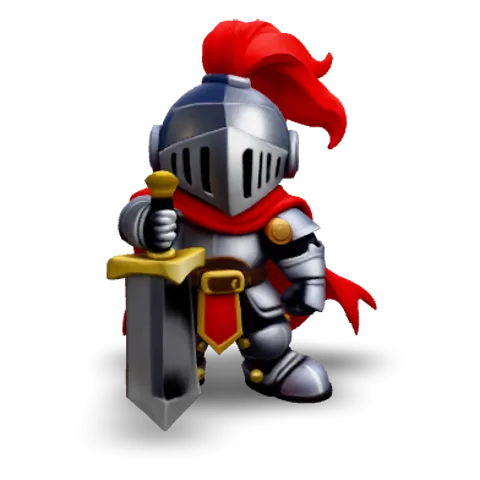
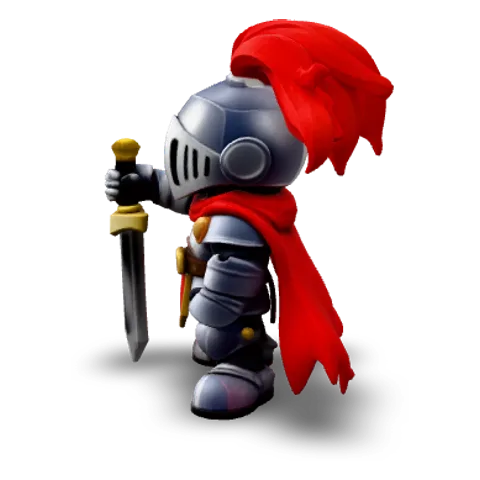
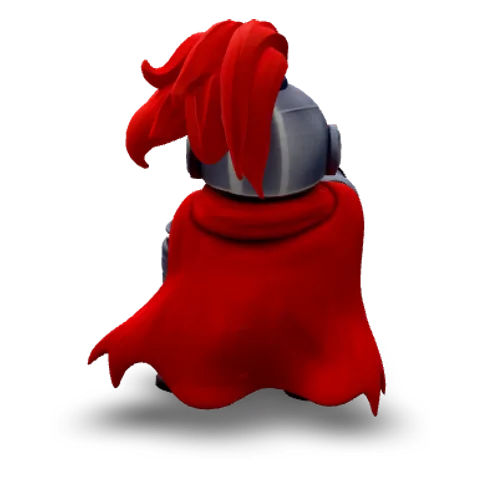
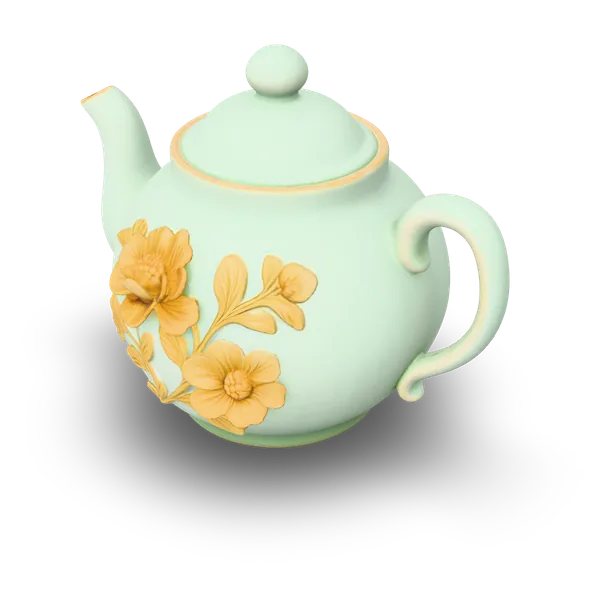
Need tighter fidelity to a real object? Switch to Multi-Image to 3D to supply multiple angles—Tripo H3.1 accepts four dedicated slots: front, left, back and right. Working from an idea instead of photos? Text to 3D generates meshes from a brief description, like this celadon teapot.


A celadon porcelain teapot with delicate gold floral patterns
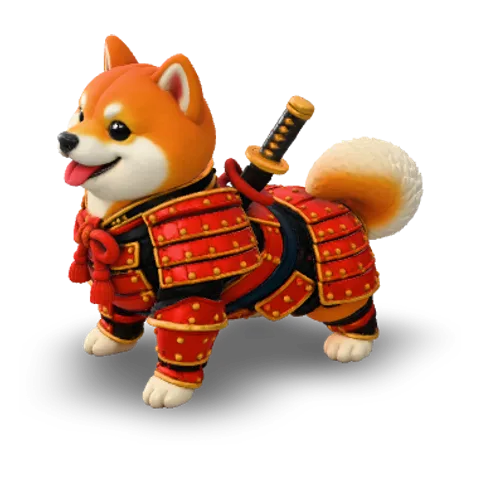
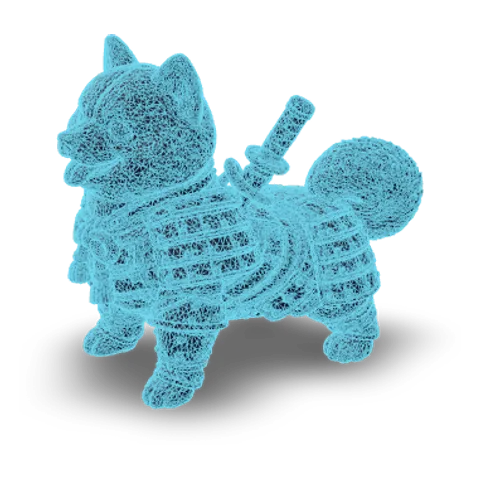
Select low, standard or high mesh density and toggle textures off on supported engines. Inspect your mesh in textured, solid and wireframe views right in the browser before exporting—this samurai shiba preview contains 99,666 faces.
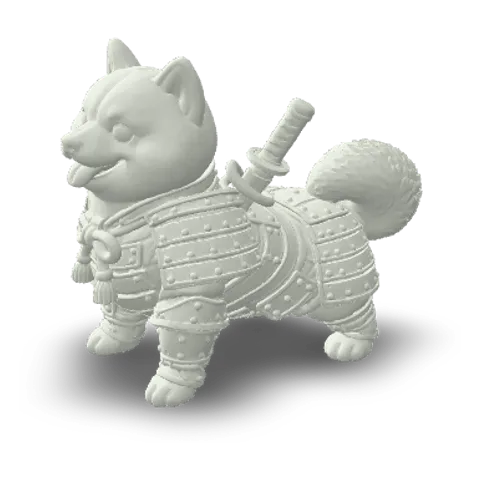
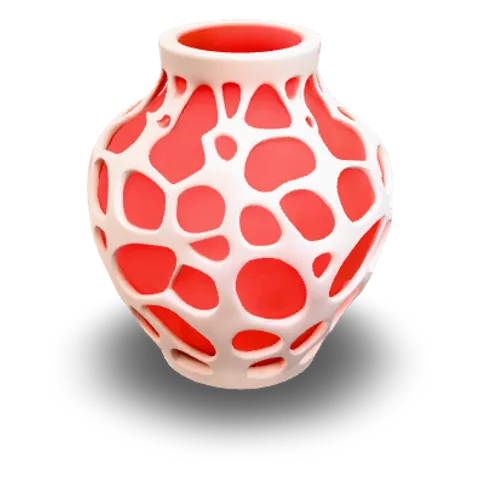
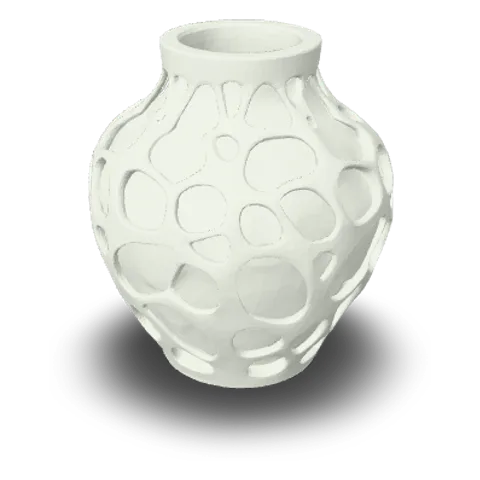
Save the exact same mesh as GLB for web viewers and game engines, OBJ for DCC sculpting tools, or STL for 3D printing. GLB and OBJ retain surface textures, while STL exports clean geometry scaled to 100 mm on its longest edge for fast slicer setup.
First-Hand Pipeline Verification
Instead of vague marketing claims, AI Image to 3D documents reproducible pipeline limits and same-photo model runs directly aligned with active production code.
TRELLIS, Rodin 2.5 Fast, Hunyuan 3D 3.1 Rapid & Pro, Tripo H3.1, Rodin 2.5, and Meshy 7.1
STL downloads export geometry-only meshes scaled to 100 mm on the longest side
Browser GLB-to-STL conversion and SVG/PNG Logo-to-3D extrusion run strictly on-device
Uploaded source photos expire after 24 hours; generated 3D assets remain private for 60 days
How it works
Follow three quick browser steps to create a 3D model from image—no desktop software or plugins needed.
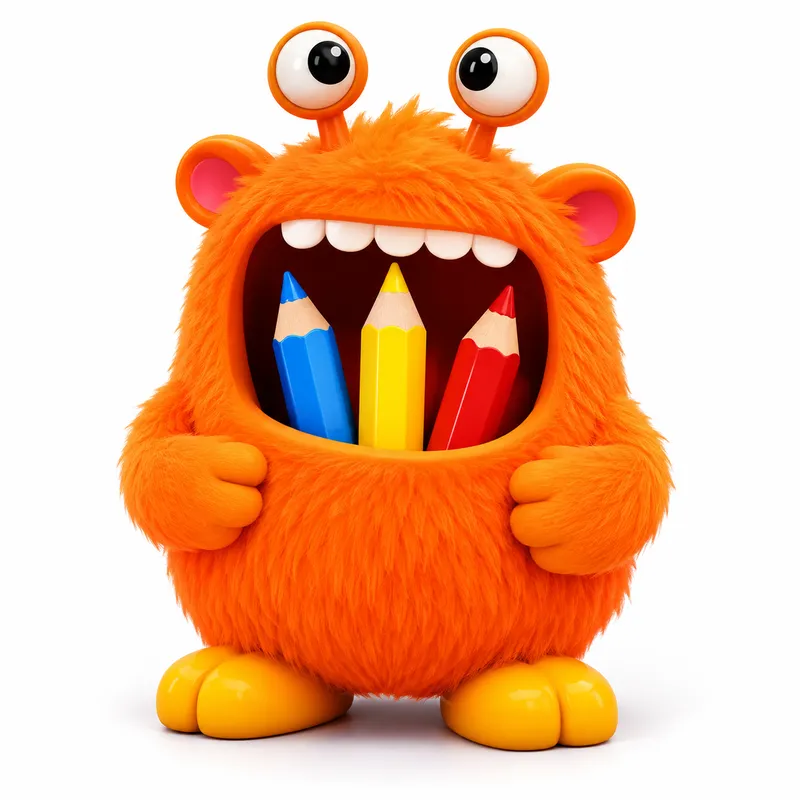
Choose a JPG or PNG showing one subject completely in frame against an uncluttered background for the sharpest photo to 3D model. For tighter back-side accuracy, switch to Multi-Image to 3D with extra angles, or type a prompt in Text to 3D.
Run your first test free on TRELLIS, or pick a pro engine for finer geometry and richer photo to 3D model textures. Configure texture and mesh detail, then click Generate and watch live progress beside the canvas.
Orbit your generated 3D mesh and toggle between textured, solid and wireframe views to verify the silhouette. Once satisfied, download GLB, OBJ or STL directly for your engine, editor or slicer.
Objective Workflow Comparison
AI Image to 3D is designed for side-by-side multi-model comparison from one image, transparent per-run credit quotes, and instant browser exports. Review how it compares against standalone platforms before choosing your workflow.
| Workflow Dimension | AI Image to 3D | Meshy | Tripo | Rodin | Blender / Desktop CAD |
|---|---|---|---|---|---|
| Model Choice in One Place | Switch among 7 models (TRELLIS, Tripo, Hunyuan, Rodin, Meshy) from one account. | Single-vendor Meshy model family with dedicated web workspace and animation tools. | Single-vendor Tripo model family with dedicated web generation and rigging workflow. | Single-vendor Hyper3D Rodin family focused on high-detail geometry generation. | Manual modeling, sculpting, UV unwrapping, and procedural shaders on desktop. |
| No-Sign-Up Trial & Pricing | First TRELLIS model free with no sign-up; upfront per-run credit quotes and non-expiring packs. | Free tier with monthly limits plus recurring monthly or yearly subscription plans. | Free starter credits plus recurring monthly or yearly subscription tiers. | Free trial credits plus subscription and API credit plans. | Blender is free open-source; commercial CAD/DCC suites use licenses or subscriptions. |
| Export & Local Utilities | GLB, textured OBJ (+MTL), 100 mm STL, plus free zero-upload GLB-to-STL and Logo-to-3D tools. | Exports GLB, FBX, OBJ, USDZ, and STL with built-in web remesh and rigging options. | Exports GLB, FBX, OBJ, USDZ, and STL with optional quad remesh and rigging. | Exports GLB, FBX, OBJ, USDZ, and STL with controllable triangle counts. | Exports every industry mesh and CAD format with complete topological control. |
| Default Asset Privacy | Private by default with no public gallery; input photos delete after 24 hours. | Free-tier assets are commonly public; private visibility requires paid tiers. | Public showcase defaults vary by tier; private creation requires paid plans. | Privacy controls vary by plan and API configuration. | 100% local project files stored strictly on your own workstation. |
More generators
Every dedicated tool opens the same browser workspace, pre-configured for one specific workflow.
Free credits
Every count below equals a complete TRELLIS mesh in our image to 3D converter—ready to spin and download before spending anything.
1free model, no sign-up
Test on your own image before registering.
2free models when you sign up
Welcome credits are added immediately.
1every day you check in
2 on day three, 3 on day seven.
Free models per check-in
Stories
Game props, desk figurines, product mockups and teaching models—every picture to 3D model below began with a single reference image.
I needed a fast prop blockout from concept art, so I ran my brass lantern sketch through image to 3D with TRELLIS. Rotating the preview let me inspect the handle, glass cage and base proportions in one pass. I downloaded the GLB and dropped it straight into Blender for lighting checks.
FAQ
Clear answers on reference photos, AI models, export formats and free usage.
Image to 3D is an AI workflow that converts a 2D picture into a full 3D mesh with both geometry and surface texture. AI Image to 3D runs entirely in your browser: upload a photo, select from 7 AI models, inspect the mesh from every side and export GLB, OBJ or STL.
Drop in one clear picture, choose an AI model and export your photo to 3D model as GLB, OBJ or STL. Your first mesh on AI Image to 3D is free.